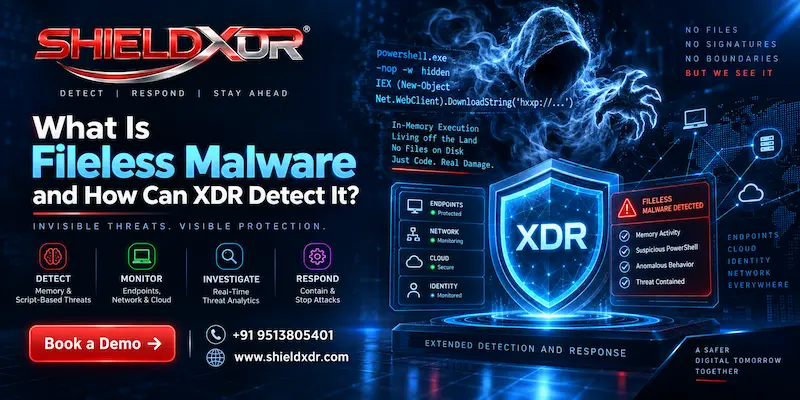
Do you want to know what Fileless Malware is and how XDR can help you to protect against threats like such malware attacks? If yes, then you are in the right place. Here, we will talk about what fileless malware is and related prevention techniques in detail.
Moreover, we will introduce you to a reliable XDR solution offered by a reputable VAPT service provider. What are we waiting for? Let’s get straight to the topic!
What Is Fileless Malware?
Instead of putting executable files on the hard drive, fileless malware uses trusted system tools like PowerShell or WMI to run malicious software directly in a computer's volatile memory (RAM).
It easily avoids ordinary signature-based antivirus scanners that look for harmful files on disk since it leaves no traditional file footprint. Attackers can obtain illegal control, steal credentials, and remain persistent without setting off normal security alerts thanks to this covert "living-off-the-land" strategy.
Let’s talk about what kind of threat fileless malware is and learn how XDR can help organizations secure their confidential data!
How Does Fileless Malware Work?
|
S.No. |
Factors |
How? |
|
1. |
Initial Compromise |
Phishing emails, dangerous URLs, and exploited software flaws are some of the ways attackers get in. |
|
2. |
Exploiting Legitimate Tools |
They make use of reliable built-in system administration tools, including Command Prompt, PowerShell, and WMI. |
|
3. |
In-Memory Code Execution |
Only in volatile system memory (RAM) are malicious payloads inserted and executed. |
|
4. |
Establishing Persistence |
Attackers use WMI event subscriptions, scheduled tasks, or registry keys to sustain long-term access. |
|
5. |
Payload Delivery & Exfiltration |
Either secondary harmful payloads are downloaded straight into memory, or stolen data is discreetly extracted. |
Common Techniques Used by Fileless Malware
The following are some common techniques used by fileless malware:
1. Process Injection: Putting harmful code straight into trusted, authorized system processes' memory.
2. Living-off-the-Land (LotL) Execution: Running harmful commands without installing external files by abusing built-in OS capabilities like PowerShell, certutil, or Command Prompt.
3. Registry-Based Fileless Storage: Concealing harmful code in Windows Registry keys in order to preserve persistence and initiate execution at startup.
4. In-Memory Script Execution: Using web commands to download and run obfuscated scripts directly into RAM without storing them on the hard drive.
5. WMI Event Subscriptions: Using Windows Management Instrumentation to carry out harmful operations covertly in response to particular system events.
Common Signs of a Fileless Malware Attack
The following are some common signs of a fileless malware attack:
● Abnormal PowerShell or Command-Line Activity: System administration tools run with administrative access at odd hours or perform lengthy, deeply obfuscated scripts.
● Unexplained Memory Spikes: Excessive RAM utilization persists even in the absence of excessive disk usage or open, valid apps.
● Suspicious Registry Modification & Persistence: Auto-run instructions or hidden script payloads are added covertly to Windows Registry run keys.
● Outbound Network Connections from Native Utilities: Unknown external IP addresses are unexpectedly connected to by trusted operating system binaries (such as certutil, powershell.exe, or wmic.exe).
● Multiple Failed Access Attempts: All administrative accounts experience abrupt increases in efforts to escalate privileges or use illegitimate credentials.
Fileless Malware vs. Traditional Malware: Key Differences
|
S.No. |
Topics |
Factors |
What? |
|
1. |
Fileless Malware |
Storage Location |
Abuses native system tools and runs only in volatile system memory (RAM) without storing executable files on the hard drive. |
|
Detection & Persistence |
Uses registry entries or scheduled tasks instead of conventional.exe files to sustain persistence and easily evade signature-based antivirus protection. |
||
|
2. |
Traditional Malware |
Storage Location |
Installs as a standalone file or executable (.exe,.dll, or.vbs) straight onto the hard drive. |
|
Detection & Persistence |
It maintains persistence by keeping its files in system folders and is easily detected by common antivirus software that scans disk files for known signatures. |
Why Is Fileless Malware Difficult to Detect?
Fileless malware is difficult to detect for the following reasons:
a) Absence of Disk Footprint: Traditional signature-based antivirus scanners are totally circumvented because no data is written to the hard drive.
b) Abuse of Legitimate System Tools: By hiding behind reputable OS tools like PowerShell, attackers can make malicious commands appear to be part of regular administration tasks.
c) Obfuscation and Encryption: To conceal their true objective from security technologies, scripts are tightly encoded, compressed, or encrypted in memory.
d) Anti-Forensic Volatility: When the compromised machine is restarted, the malicious code disappears from RAM, erasing important forensic evidence.
e) Bypass of Whitelisting Policies: The malware can readily evade application control measures when it operates within authorized, digitally signed system apps.
Real-World Fileless Malware Attack Scenarios
The following are some real-world fileless malware attack scenarios:
1. Astaroth Information-Stealer Campaign: Without publishing a single executable file to disk, the attackers loaded stealthy payload scripts straight into system RAM utilizing a completely fileless "living-off-the-land" execution chain that abused basic Windows services like WMIC, Bitsadmin, and Regsvr32.
2. Kaseya VSA REvil Ransomware Attack: Cybercriminals circumvented local security protections and encrypted more than 1,000 enterprises at once by using zero-day vulnerabilities in remote management software to run malicious PowerShell scripts directly in memory.
3. Equifax Data Breach: Over the course of 76 days, threat actors were able to covertly obtain unauthorized administrative access and exfiltrate sensitive data by using a flaw in the Apache Struts web framework to remotely execute instructions directly within internal server memory.
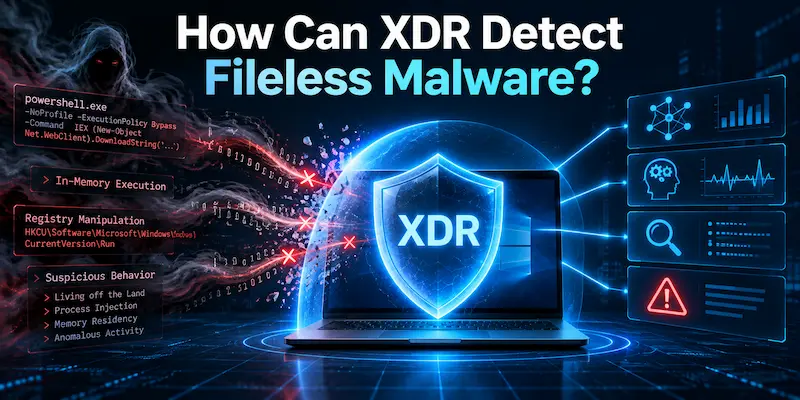
How Can XDR Detect Fileless Malware?
|
S.No. |
Factors |
How? |
|
1. |
Behavioral Monitoring & Analytics |
Instead of depending on known file signatures, it detects unusual process actions and unauthorized system modifications. |
|
2. |
In-Memory & Endpoint Telemetry Inspection |
Detects sneaky code injections by continuously scanning RAM, API calls, and unmapped executable memory. |
|
3. |
Cross-Layer Threat Correlation |
Reveals complete attack chains by connecting small endpoint irregularities with network traffic and cloud data. |
|
4. |
Command-Line & Script Analysis |
Uses technologies like PowerShell to intercept and de-obfuscate scripts and command-line inputs in real time. |
|
5. |
Automated Containment & Response |
Stops active memory threats by immediately terminating compromised processes, isolating endpoints, and revoking credentials. |
Role of Behavioral Analysis in Fileless Malware Detection
The following are the roles of behavioral analysis in fileless malware detection:
● Monitors Process Intent & Execution Context: Instead of depending on normal file signatures, it examines what a process really attempts to accomplish.
● Establishes Normal Behavioral Baselines: Maps usual system behavior using machine learning so that anomalous administrative operations cause instant notifications.
● Detects Code & Memory Anomalies: Detects in real time unlawful API calls, abnormal memory allocations, and process hollowing.
● Tracks Indicators of Attack (IOAs): Detects questionable action sequences, such as attempts at privilege escalation, before any malicious payload is finished.
● Exposes Abused Native Utilities: When built-in OS utilities like PowerShell or WMI run strange, obfuscated, or unapproved commands, they are highlighted.
How Does XDR Correlate Endpoint, Network, and Cloud Threats?
XDR correlates endpoint, network, and cloud threats in the following ways:
a) Centralized Telemetry Ingestion: Creates a single data lake by combining logs, events, and analytics from cloud environments, network firewalls, and endpoints.
b) Cross-Domain Entity Mapping: Connects various security incidents to common identifiers, such as device IDs, IP addresses, or particular individuals.
c) Behavioral Baseline & Anomaly Detection: Identifies multi-vector risks by comparing cross-domain behavior to established typical baselines.
d) Stitching Attack Paths (Telemetry Correlation): Connects disparate network, cloud, and endpoint alarms into a single, cohesive attack narrative.
e) Contextual Enrichment & Risk Scoring: Incorporates threat intelligence to prioritize the most important cross-environment attacks and rank the severity of incidents.
How Does XDR Help Investigate and Respond to Fileless Malware?
|
S.No. |
Factors |
How? |
|
1. |
Unified Visibility & Timeline Reconstruction |
Creates a detailed visual chronology of the memory-based attack using dispersed endpoint and network telemetry. |
|
2. |
Automated Threat Isolation |
Separates infected endpoints from the network right away to prevent data exfiltration and lateral transfer. |
|
3. |
Process Termination & Memory Cleanup |
Flushes harmful code directly from volatile RAM and ends compromised system processes. |
|
4. |
De-obfuscation & Root-Cause Analysis |
Finds the attack's original entry vector by automatically decoding hidden scripts. |
|
5. |
One-Click Orchestrated Response |
Allows analysts to execute pre-configured playbooks to revoke credentials and alter security rules across all domains instantly. |
Best Practices to Prevent Fileless Malware
The following are the best practices to prevent fileless malware:
1. Implement Least Privilege and Disable Unnecessary Native Utilities: Limit administrator access and prevent non-essential users from using native tools like WMI or PowerShell.
2. Deploy Endpoint Detection & Response (EDR/XDR): Utilize behavioral monitoring techniques that detect in-memory code execution and unusual system calls.
3. Enforce Rigorous Patch Management: Update web browsers, operating systems, and programs often to get rid of entry-vector vulnerabilities.
4. Enable Script Blocking and Application Whitelisting: To prevent the execution of illegitimate scripts and binaries, use policies like AppLocker or WDAC.
5. Harden Network and Email Controls: Monitor outgoing traffic from internal administrative tools, filter fraudulent email attachments, and block dubious links.
Conclusion
Now that we have talked about fileless malware and XDR, you might want to get your hands on a dedicated security solution from a reliable source. For that, you can go for ShieldXDR, a dedicated threat detection and response tool offered by Craw Security.
ShieldXDR can help organizations by automatically detecting unknown cyber threats and dealing with them without any human intervention. Thus, you can rely on ShieldXDR for better protection. What are you waiting for? Contact, Now!
Frequently Asked Questions
About Fileless Malware and XDR
1. What Is Fileless Malware and How Does It Work?
Fileless malware is a covert cyberattack that uses legitimate system administration tools like PowerShell or WMI to run malicious code directly in a computer's volatile memory (RAM), leaving no conventional files on the hard drive to avoid detection by signature-based antivirus software.
2. How Is Fileless Malware Different From Traditional Malware?
Fileless malware operates exclusively within volatile memory (RAM) and utilizes native system features to avoid disk-based detection, in contrast to classic malware that copies harmful files onto the hard drive to execute and persist.
3. Why Is Fileless Malware Difficult to Detect?
Fileless malware is difficult to detect for the following reasons:
a) Absence of Disk Footprint,
b) Abuse of Trusted System Utilities,
c) Obfuscation and Script Encryption,
d) Anti-Forensic Volatility, and
e) Bypass of Whitelisting Rules.
4. What Techniques Are Commonly Used in Fileless Malware Attacks?
The following techniques are commonly used in fileless malware attacks:
a) Process Injection,
b) Living-off-the-Land (LotL) Execution,
c) In-Memory Scripting & Web Delivery,
d) Registry-Based Fileless Storage, and
e) WMI Event Subscriptions.
5. Can Antivirus Software Detect Fileless Malware?
Because fileless malware lacks disk files to scan, traditional antivirus software typically cannot detect it. However, contemporary next-generation antivirus (NGAV) with behavioral analysis capabilities can recognize and stop its destructive memory operations.
6. How Does XDR Detect Fileless Malware?
XDR detects fileless malware in the following ways:
a) Behavioral Analytics & Anomaly Detection,
b) Real-Time Memory & Endpoint Telemetry Inspection,
c) De-Obfuscation of Command-Line & Script Execution,
d) Cross-Layer Telemetry Correlation, and
e) Automated Containment & Incident Response.
7. How Does Behavioral Analysis Help Identify Fileless Malware?
Behavioral analysis helps identify fileless malware in the following ways:
a) Monitors Process Intent & Execution Context,
b) Establishes Normal Behavioral Baselines,
c) Detects Code & Memory Anomalies,
d) Tracks Indicators of Attack (IOAs), and
e) Exposes Abused Native Utilities.
8. What Role Does Endpoint Detection Play in Fileless Malware Detection?
Endpoint detection plays the following role in fileless malware detection:
a) Continuous Memory & API Call Monitoring,
b) Deep Command-Line & Script Visibility,
c) Real-Time Behavioral Telemetry Collection,
d) Indicator of Attack (IOA) Tracking, and
e) Automated Host-Level Response & Isolation.
9. Can XDR Automatically Respond to Fileless Malware Attacks?
Yes, XDR can react to fileless malware attacks automatically in real time by blocking malicious command-line activity, revoking exploited credentials, isolating infected endpoints, and terminating hijacked processes in RAM.
10. How Can Organizations Prevent Fileless Malware Attacks?
Organizations can prevent fileless malware attacks in the following ways:
a) Enforce Least Privilege & Restrict Native Utilities,
b) Deploy Behavioral-Based EDR/XDR Solutions,
c) Enable Script Blocking & Application Whitelisting,
d) Maintain Rigorous Patch & System Management, and
e) Harden Email & Network Security Controls.