Do you know what Sandbox Detonation is and how it helps businesses to protect themselves against online threats or malware threats? If not, then you are at the right place. Here, we will talk about what sandbox detonation is and related benefits in detail.
Moreover, we will introduce you to a reliable security solution offered by a reputable VAPT service provider. What are we waiting for? Let’s get straight to the topic!
What Is Sandbox Detonation in Malware Analysis?
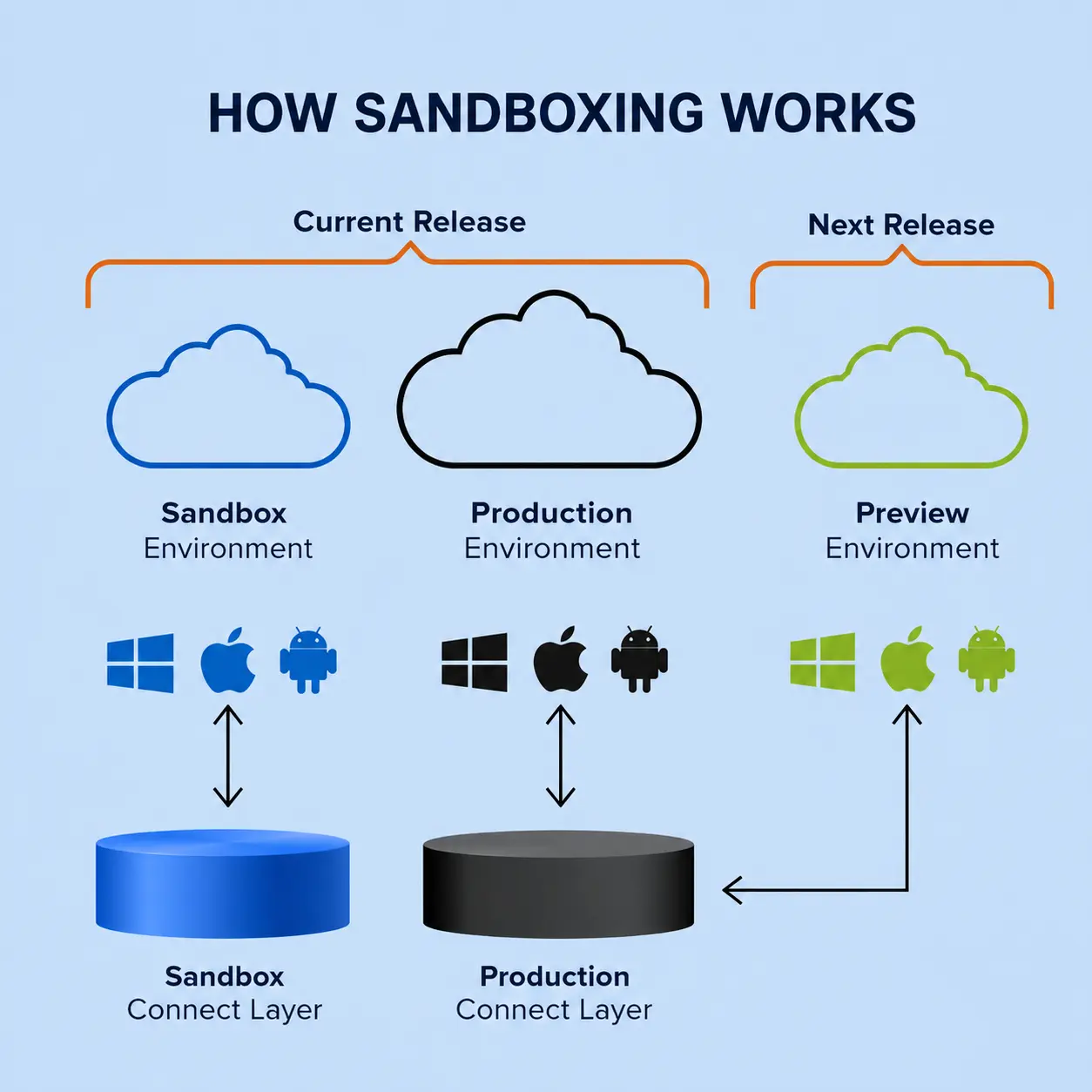
The practice of securely running dubious files or URLs in a secure, controlled virtual environment to watch their runtime behavior in real time without endangering the host network is known as "sandbox detonation."
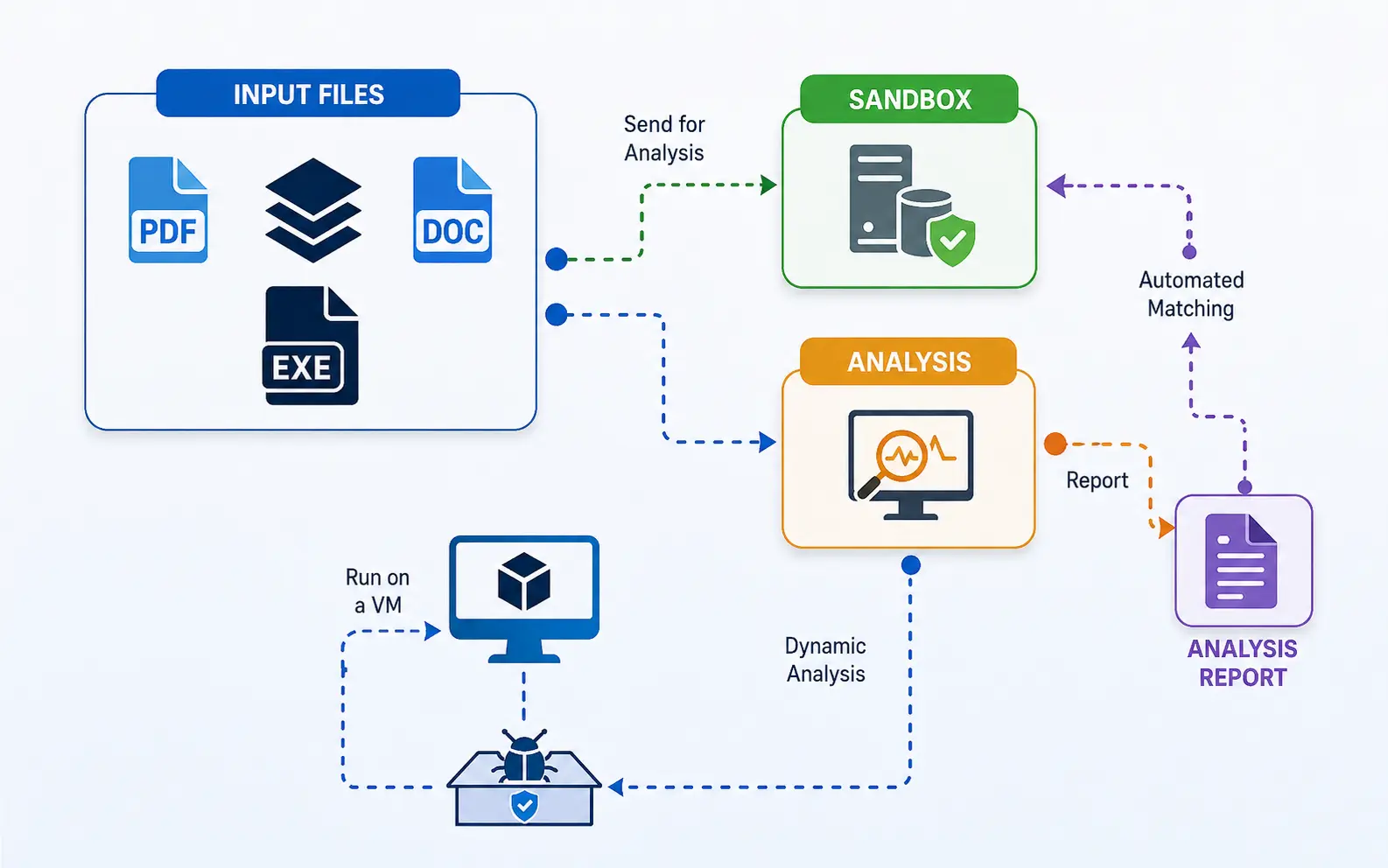
To identify whether an artifact is malicious, security systems record dynamic telemetry during execution, including registry changes, network calls, memory alterations, and payload dumps. Security controls are then updated by automatically compiling this behavioral evidence into dynamic threat intelligence and risk scores.
Let’s talk about what Sandbox Detonation is, its uses, its features, and its benefits for organizations in the IT Industry!
Static vs. Dynamic Malware Analysis: Where Does Detonation Fit?
|
S.No. |
Topics |
Factors |
What? |
|
1. |
Static Analysis |
Code Inspection Without Execution |
Examines embedded signatures, headers, strings, hashes, and file properties without starting the binary. |
|
Rapid Risk Screening |
Offers quick triage to identify recognized signatures and plain-text clues, but encryption or obfuscation can get around it. |
||
|
2. |
Dynamic Analysis |
Real-Time Behavioral Detonation |
Runs the sample in a separate sandbox to capture network requests, registry changes, and runtime behavior. |
|
Uncovers Evasive Payloads |
Causes dynamic payloads and hidden zero-day behaviors that are not observable during static inspection. |
What Happens During the Malware Detonation Process?
The following things happen during the malware detonation process:
1. Sample Ingestion & Isolation: Confines the questionable file to a safe, air-gapped virtual environment.
2. Environment Simulation & Execution: Launches the payload while simulating user interactions and network services to cause activity.
3. Behavioral Logging & Telemetry Capture: Keeps track of network connections, registry changes, RAM changes, and the creation of new processes in real time.
4. Threat Extraction & Indicator Generation: Extracts freshly produced IOCs, dropped payloads, and runtime C2 domains.
5. Report Generation & Sandbox Teardown: Promptly resets the virtual computer after producing a thorough threat report with risk scores.
What Activities Are Monitored During Sandbox Detonation?
The following activities are monitored during sandbox detonation:
● File System Modifications: Monitors file, directory, and secondary payload drop creation, alteration, deletion, or encryption.
● Registry & Configuration Changes: Keeps track of changes made to service configurations, persistence locations, system policies, and Windows registry run keys.
● Process Execution & Memory Activity: Documents DLL injections, parent-child relationships, process spawning, and memory manipulation (such as process hollowing).
● Network Traffic & External Communications: Records data exfiltration, downloaded secondary binaries, command-and-control (C2) IP connections, and DNS lookups.
● API & System Call Tracing: Logs native kernel system calls and low-level Windows API functions that the payload makes during runtime.
What Types of Malware Can Be Analyzed Using Sandbox Detonation?
|
S.No. |
Types |
What? |
|
1. |
Ransomware |
Reveals master C2 key exchanges, automated ransom note generation, shadow copy deletions, and file encryption behaviors. |
|
2. |
Trojans & Remote Access Trojans (RATs) |
Keylogging, camera/microphone hijacking, persistence registry writes, and interactive command execution are all observed. |
|
3. |
InfoStealers & Spyware |
Harvests browser credentials, extracts cookies, scrapes cryptocurrency wallets, and intercepts outgoing exfiltration POST requests. |
|
4. |
Polymorphic & Obfuscated Malware |
In order to reveal raw payloads, packaged or encrypted binaries are forced to decrypt themselves in memory during runtime. |
|
5. |
Malicious Documents & Weaponized Macros |
Triggers attack chains or embedded VBA scripts that dump secondary payloads in PDFs and Office documents. |
What Are the Benefits of Sandbox Detonation in Malware Analysis?
The following are the benefits of sandbox detonation in malware analysis:
a) Zero-Risk Environment for Live Execution: Safely runs live malicious code without endangering production systems inside an isolated, air-gapped virtual container.
b) Uncovers Zero-Day & Obfuscated Malware: Encrypted or compressed binaries are forced to run in real time, exposing hidden behaviors that evade static detection.
c) Automated IOC Extraction: Instantly records memory changes, dropped files, malicious domains, and dynamic network C2 IPs into actionable intelligence.
d) Accelerates Incident Response & Triage: Reduces analyst investigation bottlenecks by producing forensic evidence and clear threat scores in a matter of minutes.
e) Direct Feedback Loop to Defensive Controls: Automatically feeds freshly collected signs straight to firewalls, SOAR, and SIEM to instantly stop future attacks.
What Are the Limitations of Sandbox Detonation?
The following are the limitations of sandbox detonation:
1. Evasion & Environment Awareness: Detects debugging tools or hypervisors and remains dormant to avoid analysis.
2. Delayed Execution & Time-Out Limits: Uses logic bombs or lengthy sleep delays that go beyond the typical sandbox analysis timeframes.
3. Human Interaction Dependencies: Before launching payloads, it waits for actual mouse movement, certain keystrokes, or CAPTCHA solutions.
4. Environment-Specific Execution Triggers: Needs active registry keys, domain membership, or particular localized settings in order to function.
5. High Infrastructure Overhead & Latency: Requires a lot of processing power, resulting in analysis queues that postpone immediate threat blocking.
How Do Malware Samples Detect and Evade Sandboxes?
|
S.No. |
Factors |
How? |
|
1. |
Hypervisor & Virtualization Artifact Detection |
Searches for known sandbox registry keys, VM drivers, MAC address prefixes, or CPU instructions like CPUID. |
|
2. |
Human Activity & Interaction Verification |
Keeps track of actual keystrokes, mouse movements, active browser history, and system uptime. |
|
3. |
Time-Based Stalling & Sleep Evasion |
Runs intricate mathematical loops or lengthy Sleep() procedures to go beyond the sandbox's brief analysis window. |
|
4. |
Environment & Target Context Matching |
Before activating, certain Active Directory domains, local user accounts, or specialized language settings are needed. |
|
5. |
Anti-Debugging & API Hook Monitoring |
Examines hooked system API functions for manipulation, looks for active debugger tools, or verifies IsDebuggerPresent() flags. |
How Are AI and Machine Learning Improving Malware Sandboxing?
AI and ML are improving malware sandboxing in the following ways:
● Automated Evasion & Anti-Sandbox Detection: VM detection tests and covert anti-analysis triggers are flagged before sample execution starts.
● Realistic User Simulation & Interaction: To trick evasive malware into activation, it creates natural mouse movements, typing patterns, and system interactions.
● Real-Time Syscall & Behavioral Sequence Analytics: Uses neural networks to analyze API call sequences to identify patterns of zero-day execution and unusual intent.
● Intelligent Time Acceleration & Execution Patching: Avoids long sleep delays and instantly neutralizes anti-debugging logic to compel immediate payload execution.
● Automated Clustering & Confidence Scoring: Creates threat families from related malware samples and determines risk scores to inform automated response playbooks.
Interactive vs. Automated Sandbox Detonation
Although malware that is waiting for user activity can avoid it, automated sandbox detonation quickly runs files at scale without human intervention to produce fast threat intelligence. Interactive detonation, on the other hand, offers deeper research at the expense of speed by enabling analysts to manually click and write within the simulated environment to ignite evasive payloads.
Best Practices for Effective Sandbox Detonation
|
S.No. |
Factors |
What? |
|
1. |
Harden Environment Realism |
To trick evasive malware, mask hypervisor artifacts, add realistic user history, and alter registry structures. |
|
2. |
Isolate Network Traversal Safely |
To monitor C2 traffic without disclosing live malware attacks, use restricted gateways or simulated internet drains like INetSim. |
|
3. |
Bypass Stalling & Sleep Triggers |
Patch runtime Sleep() methods and fast-forward system clocks to make delayed payloads run instantly. |
|
4. |
Combine Static Pre-Filtering with Dynamic Execution |
Before using computing for sandbox detonation, quickly perform static checks to filter known benign or malicious hashes. |
|
5. |
Automate Real-Time IOC Feed Distribution |
Stream extracted hashes, hostile IP addresses, and C2 domains instantly into firewall blocklists, SIEM, and SOAR. |
How to Choose a Malware Sandbox Solution?
You can choose a malware sandbox solution in the following ways:
a) Evasion Resistance & Environment Customization: Choose a sandbox that allows custom OS images, simulates human interaction, and hides virtual hypervisors.
b) API Integration & Ecosystem Compatibility: Make sure that your current SIEM, SOAR, and EDR solutions are seamlessly integrated with RESTful APIs and STIX/TAXII.
c) Scalability & Detonation Speed: Select a solution that can quickly handle large sample quantities without causing triage backlogs in active alerts.
d) Support for Dual Analysis Modes: Seek out systems that offer both interactive manual analysis and automatic high-speed detonation.
e) Deployment Model & Data Privacy Compliance: Check whether on-premises or cloud choices meet the data sovereignty and compliance requirements of your company.
Conclusion: Why Sandbox Detonation Matters in Modern Malware Analysis?
Now that we have talked about what Sandbox Detonation is, you might want to get your hands on a dedicated security solution for your protection. For that, you can go for ShieldXDR, a dedicated threat detection and response tool offered by Craw Security.
ShieldXDR can automatically detect any suspicious activity and can deal with such threats within time to protect your networks and systems for better security. Thus, you will feel secure protecting your work environment. What are you waiting for? Contact, Now!
Frequently Asked Questions
About Sandbox Detonation
1. What is sandbox detonation in malware analysis?
The practice of securely running dubious files or URLs in a monitored, isolated virtual environment in order to watch their dynamic runtime behavior and gather threat intelligence without endangering host networks is known as "sandbox detonation."
2. How does sandbox detonation work?
Sandbox detonation works in the following ways:
a) Sample Quarantine & Setup,
b) Payload Triggering & Execution,
c) Continuous Behavioral Logging,
d) Dynamic Threat Intelligence Extraction, and
e) Reporting & Environment Discard.
3. Why is sandbox detonation important for malware analysis?
Sandbox detonation is important for malware analysis for the following reasons:
a) Exposes Zero-Day & Unseen Threats,
b) Forces Deobfuscation & Decryption,
c) Generates High-Fidelity Dynamic IOCs,
d) Enables Safe Live Execution, and
e) Accelerates Response & SOC Automation.
4. What types of malware can be analyzed using sandbox detonation?
The following types of malware can be analyzed using sandbox detonation:
a) Ransomware,
b) Trojans & Remote Access Trojans (RATs),
c) InfoStealers & Spyware,
d) Polymorphic & Obfuscated Malware, and
e) Weaponized Documents & Exploits.
5. What is the difference between sandboxing and malware detonation?
Malware detonation is the active process of initiating and running a suspicious sample inside that environment to watch its activity, whereas sandboxing offers the separated virtual environment for secure execution.
6. How does a malware sandbox detect suspicious behavior?
A malware sandbox detects suspicious behavior in the following ways:
a) System & API Call Tracing,
b) File System & Registry Tracking,
c) Network Communication Analysis,
d) Memory & Process Profiling, and
e) Heuristic & Signature Matching.
7. Can sandbox detonation detect zero-day malware?
Because it examines dynamic runtime behavior and activities instead of depending on pre-existing signatures or known file hashes, sandbox detonation can really identify zero-day malware.
8. How do malware samples evade sandbox environments?
Malware samples evade sandbox environments in the following ways:
a) Environment & Hypervisor Artifact Checks,
b) Human Activity & Interaction Verification,
c) Time-Based Stalling & Logic Bombs,
d) Target Context & Environment Matching, and
e) Anti-Debugging & API Hook Detection.
9. What are the limitations of sandbox detonation?
The following are the limitations of sandbox detonation:
a) Advanced Evasion & Environment Detection,
b) Time-Based Stalling & Logic Bombs,
c) Human & Interaction Dependencies,
d) Environment-Specific Context Requirements, and
e) Resource Overhead & Analysis Latency.
10. How does sandbox detonation support threat intelligence?
Sandbox detonation supports threat intelligence in the following ways:
a) Generates High-Fidelity Dynamic IOCs,
b) Maps Behaviors to Threat Frameworks,
c) Forces Deobfuscation for Payload Extraction,
d) Enriches Threat Feeds & SIEM/SOAR Playbooks, and
e) Accelerates Attribution & Campaign Tracking.